
Shopify Order Proofing
What Shopify order proofing actually is, why custom-products stores need a real workflow for it, and the pieces a working setup has to include.
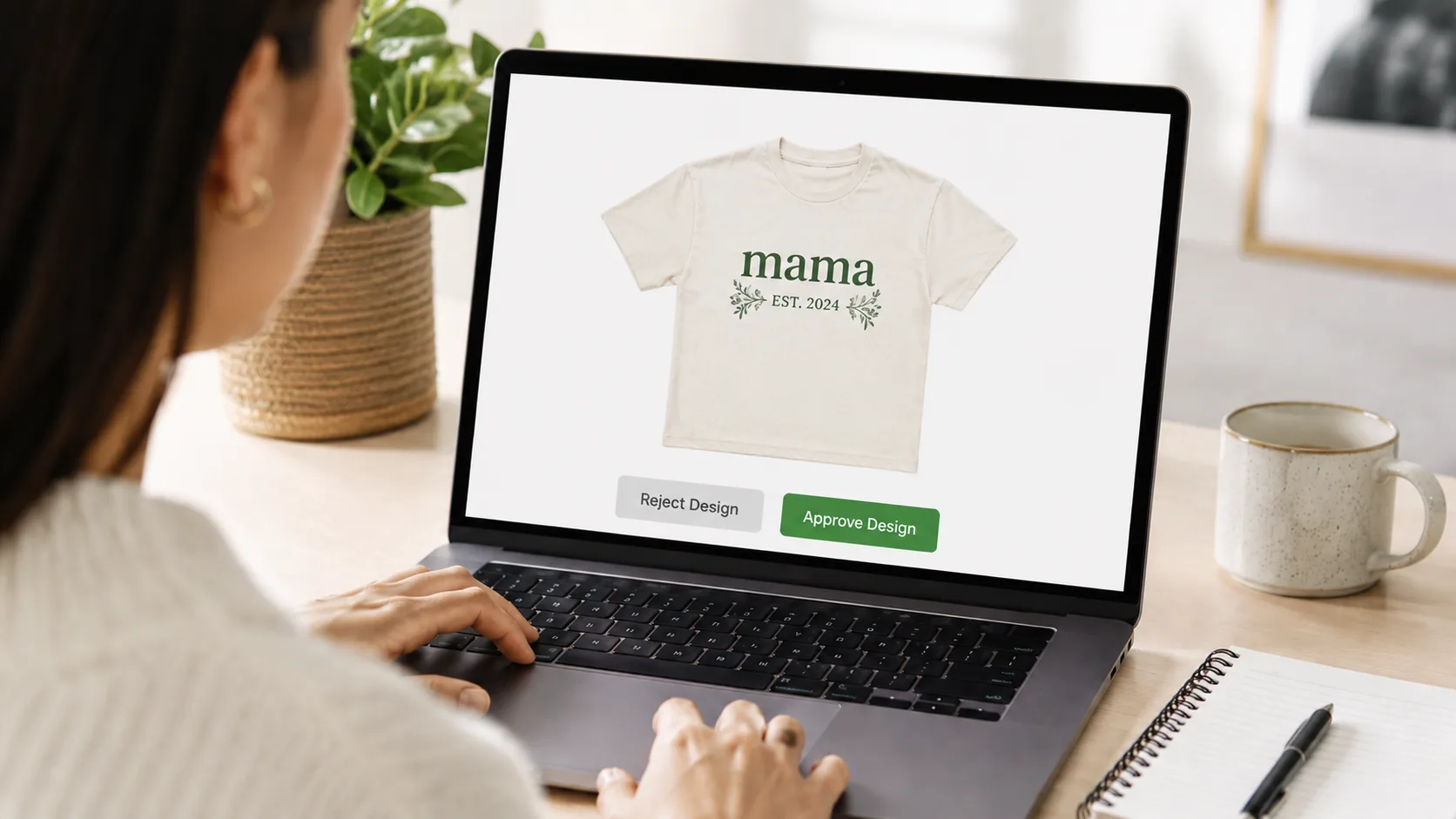
Shopify Order Proofing
The step Shopify does not own
Shopify is excellent at the things that happen on either side of a custom order. Checkout, payments, inventory, fulfillment, shipping, tax: all solved. What it leaves entirely to you is the bit in the middle that custom-products stores live and die by: showing the customer what you are about to make, getting their feedback, and capturing an explicit approval before production starts.
That step is what people mean by Shopify order proofing. If you sell custom signs, personalized apparel, wedding stationery, pet portraits, engraved gifts, large-format prints, or any made-to-order product, your proofing flow is probably the single biggest source of operational friction in your store. Getting it right is less about design tooling and more about giving the proof, the feedback, and the approval the same structure the rest of your Shopify operation already has.
What "order proofing" actually means
Order proofing is the process of attaching a design or mockup to a Shopify order, sending it to the customer, capturing their response, and recording an explicit go-ahead before anyone makes the product. In practice that means handling four things in order:
- Producing the proof. A designer, automated mockup tool, or template generates an image or PDF tied to the customer's order details.
- Delivering the proof to the right customer. It has to be unambiguously linked to their order, not floating in a generic inbox.
- Collecting a clear response. Approve, reject with feedback, or comment. Not a tone of voice in an email.
- Signalling production. Once the design is approved, your fulfillment side gets an unmistakable green light to start making the thing.
Most stores start out doing all four manually over email. It works at low volume. The pieces start coming apart somewhere between 20 and 50 custom orders a week, and the failure modes are quiet: wrong revisions shipped, orders sitting unanswered for a fortnight, designers waiting on you to forward a file you already sent. If you are recognizing any of those, you have a proofing problem, not a design problem.
Why proofing is harder than it looks
A few specific things make order proofing operationally heavy in a way most merchants underestimate before they hit it.
The latest version is not obvious. Once a proof has been through two revisions, "the file" is no longer a single object. It is a stack, and the only person who reliably knows which version is current is whoever uploaded it last. Email threads, shared drives, and chat apps are all bad at making "current" obvious.
Approval is ambiguous by default. "Looks good!" is not a yes. Or it is, but only sometimes. A workflow that requires interpretation will misfire under volume.
The customer is the bottleneck more than you think. Stalled orders are usually waiting on the customer, not the studio. If chasing them lives in someone's head, it stops happening the first busy week.
External designers complicate access. If you work with freelancers, giving them Shopify admin to see orders is a poor trade. Email then becomes the workaround, which puts the proof back in an unreliable channel.
Production needs a clean signal. A studio that has to read an email thread to know what to make is one missed reply away from producing the wrong revision.
Each of those is fixable in isolation. The point of a real proofing workflow is to fix them together so they stop being daily friction.
The components of a working setup
A Shopify order proofing setup that actually scales has six pieces. Whether you assemble them yourself or use a purpose-built tool, every one of them needs to exist somewhere in your process.
1. A single canonical location per order. Every proof, every revision, every comment, and the approval itself live at one URL tied to the Shopify order number. No attachments. No "let me find the latest file." If you cannot point to one URL and say "this is the current state of order #1842," you have not really centralized.
2. An explicit approval action. A button. A status. A recorded "approve" event with a timestamp. Anything other than a sentence in prose. The whole point is that the team should never have to interpret intent.
3. Versioned revisions. Every new upload gets a revision number. The customer sees a clear history. Your designer never wonders whether they uploaded v3 or v4. This kills almost all of the "we shipped the wrong version" mistakes.
4. Automated reminders. Customers go quiet. That is normal, and chasing them is the single biggest time tax in custom-order operations. Set a cadence (every two or three days), cap the total sends so reminders never become spam, and let the system do the chase instead of someone's inbox.
5. An auto-approval safety net. For low-risk products, decide on a window after which a proof closes itself if the customer has not responded. Three to seven days is the common range. It is the difference between an order shipping on time and an order sitting in limbo while a customer who has already moved on never opens your email. For high-stakes work (large prints, wedding suites, tattoo work), leave auto-approval off and lean on reminders alone. See the auto-approval window guide for how to size this for different product types.
6. A clean handoff to production. When a proof is approved, something flips: an order tag, a status, a webhook fire, a Shopify Flow trigger. Your studio watches that signal and only that signal. If the production side is still reading email threads, you have not really closed the loop.
If your current setup is missing more than two of these, you are paying for the gap every week in time, mistakes, and stalled orders.
Decisions you have to make up front
Before any tool gets involved, three decisions shape your proofing flow more than anything else.
How many revisions you offer. Unlimited is generous but only sustainable if revision rounds are short. Capped (commonly two or three) is operationally tidy but pushes you into more careful first proofs. There is no universally right answer, but write the policy down and put it on the product page. If you find yourself quietly tightening revision policy because proofing hurts, the workflow is the thing to fix, not the policy. The piece on cutting revision rounds without sounding pushy covers the levers worth pulling first.
How customers approve multi-file proofs. If a product ships with several mockups (a three-up shirt design, a multi-page invitation suite, a set of label variants), pick the default behavior: approve all together, pick one and reject the rest, or approve each individually. A custom shirt with three mockups is usually "pick one." A wedding stationery suite is usually "approve each individually." A multi-page brochure is usually "approve all as one." Pick per product type and stick to it.
Where the proof lives. Email attachments are cheap and almost always wrong past low volume. A per-order page on a tool built for this is the only setup that gives you a single source of truth without manual care. Once you have made that move, every other piece (revisions, reminders, auto-approval, production handoff) gets noticeably easier.
Where proofing flows usually break
In rough order of frequency, the failure modes that show up in real custom-order stores:
- The customer never opened the email. No reminder fires, the order stalls, and a week later your studio asks why production has gone quiet.
- Two team members send the customer different versions. No canonical location means anyone can be the source of truth, which means nobody is.
- Production reads the wrong revision. The email chain has six attachments, none of them numbered, and the studio makes v2 instead of v4.
- A freelance designer is locked out. They never got the email, or they got it on the wrong address, and you become the human relay between them and the customer.
- Approval is implied, not stated. "Yeah let's go with that one" is in reply to a question two messages earlier and nobody is sure which design it referenced.
- Auto-approval was turned off because someone got burned. A short window auto-approved a wedding proof that needed real changes, so the policy got removed entirely. The right answer is usually to keep auto-approval on for the products that suit it and off for the ones that do not.
Every one of these is a structural problem, not a discipline problem. A workflow that requires the team to remember things is a workflow that will break the week the team is busy. For a more detailed breakdown of the early warning signs, the signs your store has outgrown email proofing post walks through the specific tells.
DIY versus a purpose-built proofing app
You can assemble a workable proofing flow on top of Shopify out of Flow rules, a shared Dropbox, careful subject-line conventions, and a lot of operational discipline. People do, and it works for a while. The point at which it stops working is usually around the time you cannot remember whether order #1043 is on revision 2 or revision 3, and the designer is asking the same.
A purpose-built proofing app gives you per-order pages, revision tracking, automated reminders, auto-approval, order tagging, and external designer accounts in one place, already wired together. The trade-off is a monthly fee against the time and the inevitable mistakes of holding it together yourself. A single "we shipped the wrong revision" remake is usually more expensive than a year of an approval app, which is why most stores eventually cross the line.
How ApprovePro handles Shopify order proofing
ApprovePro is built specifically for this gap. Each Shopify order gets its own approval page tied to the order ID, with revision numbers that increment automatically every time a new version is uploaded. The customer is emailed the link the moment the proof is ready, no manual send step, and they approve or reject directly on the page. Customer file uploads can be turned on so reference images or marked-up PDFs come back attached to the feedback, which usually shortens revision rounds because customers can show you what they mean rather than describe it.
For multi-file proofs, you can configure whether customers approve all files as one decision, pick their preferred design, or approve each one individually, with a per-order override for the occasional product that needs different treatment. An optional revert window lets a customer change their decision without you reopening the order by hand.
Stalled approvals are handled by settings rather than by you. You can set an auto-approval interval, schedule customer reminders on a cadence you choose, and cap recurring reminders so they never become spam. Order tagging happens automatically as the proof moves through design_ready, design_approved, and design_rejected, which is the clean signal your fulfillment side can act on. On Premium and above, the same status changes can fire into Shopify Flow or hit your webhook endpoints. On Pro and above, there is an API for adding designs programmatically.
External designers and team members get their own accounts that do not require Shopify admin access, scoped to the work they are responsible for. That is the difference between safely handing proofs to a freelancer and giving them keys to your store. The working with freelance designers post goes deeper on this if outside design help is part of your operation.
Unlimited revisions are included on every plan, and there is a 14-day free trial across all tiers.
Final takeaway
Shopify order proofing is not a design problem. It is a coordination problem with a design step in the middle. The stores that scale custom orders smoothly are the ones that have given the proofing flow the same structure as the rest of their operation: one canonical location per order, an explicit approval action, automated chasing, a sensible auto-approval policy, and a clean signal into production.
Once those pieces are in place, custom orders stop being the thing that breaks your week.
If you would rather not stitch the workflow together yourself, see how ApprovePro adds order proofing to Shopify on a single page per order.